Editing Menu Name
If a page title has been changed, the menu item should also be changed to keep everything consistent.
Step 1:
To edit a menu name click on the Manage Content button in the upper left-hand corner. If you can't find the Manage Content button, please refer to the how to find manage content article.
Step 2:
Click on the Menu link.
Step 3:
Find the page name in the list. Press the Edit button for that page on the right-hand side.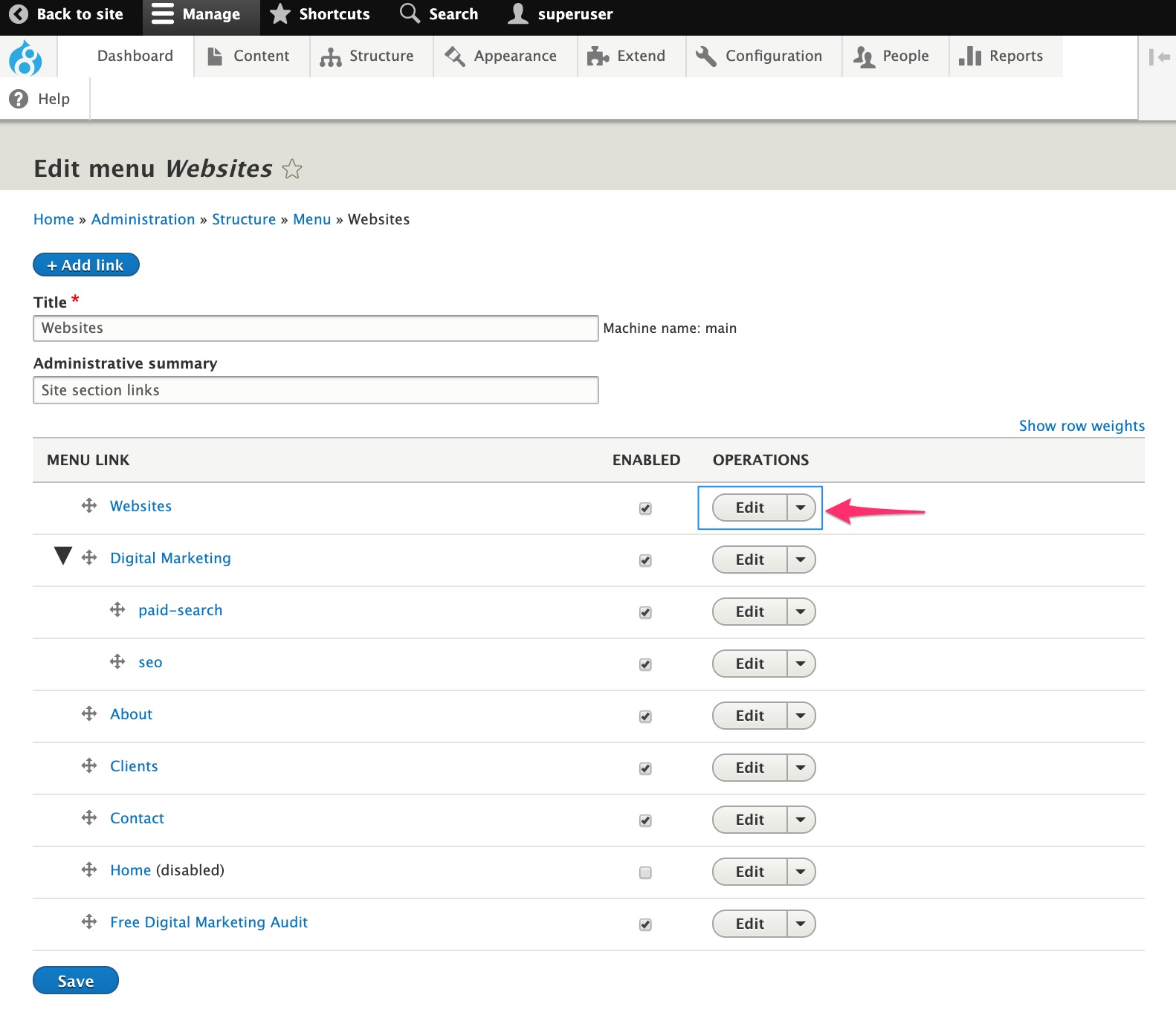
Step 4:
Change the Menu link title to the new name. Press Save at the bottom of the page.
Related Articles
Editing a Page
There are two options for editing a page. Through Manage Content or Editing from the page. See below for steps on each. Option 1: Through Manage Content Step 1: Go to Manage Content in the upper-left-hand corner. If you can't find the Manage ...How to Add a Page
How to Add a Page Adding a page is useful if you have additional information to offer your website visitors. Below are steps to take to add a page. Step 1: Click on the Pages link in the Dashboard. Step 2: Click on the + Add Basic Page button. This ...How to Manage Content
Manage content is the dashboard of the website. Each major component will be available for editing purposes. Step 1: Manage content can be found in the upper left hand corner in the grey bar. Step 2: What happens if the Mange Content button can't ...How to Open a Shared Mailbox on the Web Version of Outlook
These are the instructions on how to Open a Shared Mailbox on the Web Version of Outlook Go to outlook.office.com Sign into a personal/work account. Click the My Accounts button in the upper right-hand corner. A side menu will appear. Click Open ...Adding Internal Links
Option 2: Internal Links Internal links are used to take the user to another page inside the website that the user is on. Step 1: Highlight the text you would like the link to be attached to. Step 2: Press the link icon. This looks like a world with ...